Important legal notice: This content and the frpfile tool are intended for lawful device owners and authorized technicians only. By using the tool or requesting our services you explicitly certify and warrant that you are the lawful owner of the device or are authorized in writing by the lawful owner. frpfile tool does not provide exploit source code or step-by-step instructions for unlawful circumvention. Misuse may result in legal consequences; frpfile tool will cooperate with law enforcement when required.
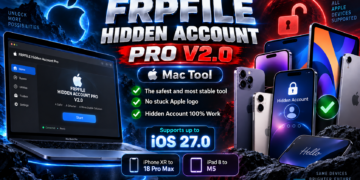
This tool restore firmware *.ipsw for Mac device. You can use tool update old iBrigde OS to lastest for bypass MacT2 windows.
Supported model:
- MacBook
– MacBook Air (Retina, 2018, 2019, 2020) – A1932, A2179
– MacBook Pro 13-inch (2018, 2019, 2020) – A1989, A2159, A2251, A2289
– MacBook Pro 15-inch (2018, 2019) – A1990
– MacBook Pro 16-inch (2019) – A2141 - iMac
– iMac (Retina 5K, 27-inch, 2020) – A2115
– iMac Pro (2017) – A1862 - Mac mini
– Mac mini (2018) – A1993 - Mac Pro
– Mac Pro (2019) – A1991
STEP BY STEP
- Download firmware for Mac T2 from : https://ipsw.me/product/iBridge
- Move firmware to folder /bin/ipsw & rename file name to Restore.ipsw
- Open tool click button Restore
- Wait and click install driver while tool process
DOWNLOAD
- Google Drive : https://drive.google.com/drive/folders/1Dw0RGYUOpa6gJKHRrWkhi2k4hABSPtlO
- Mediafire: https://www.mediafire.com/folder/8d8o4yo8d20sa/AppleConfigurator2
VIDEO
READ MORE